BOS Version
During the ETHGlobal Waterloo Hackathon, a chunk of this tutorial was ported over to BOS. This section is a quick guide on how to use it.
If you run into any bugs or issues, don't hesitate to reach out to Min on Telegram!
Using the BOS Tool
The BOS version of the ticket app is located here. On this page, you can view your previous tickets, as well as create a new ticket drop.
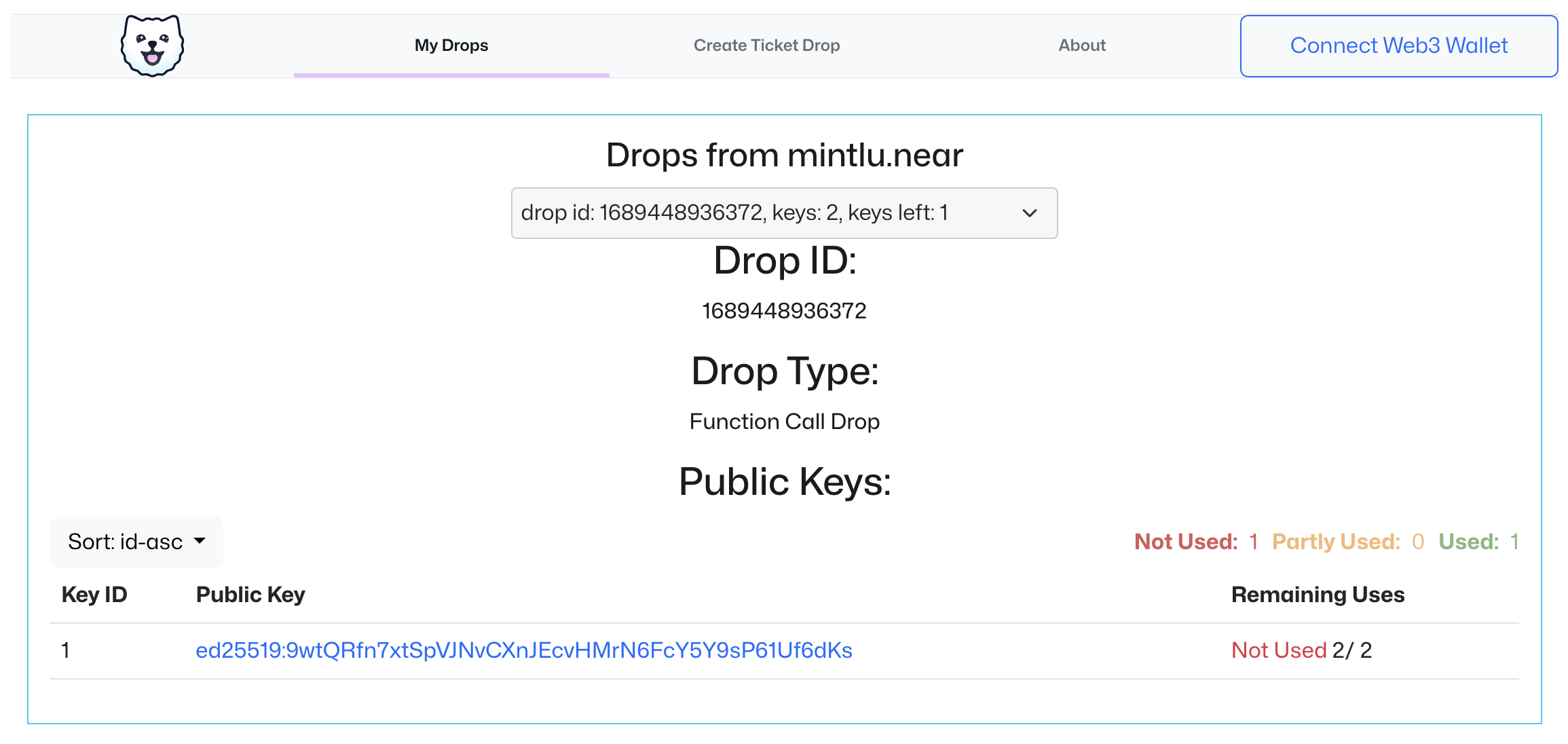
All your drops will appear in the viewer, not just the ticket drops.
Creating Ticket Drops
This section of the tool allows you to create a standard ticket drop. These drops use the following structure:
- 2 Key uses
- First is null and password protected.
- Second mints the POAP
- A customizable password and POAP. The POAP is minted as part of a series on
nft-v2.keypom.near
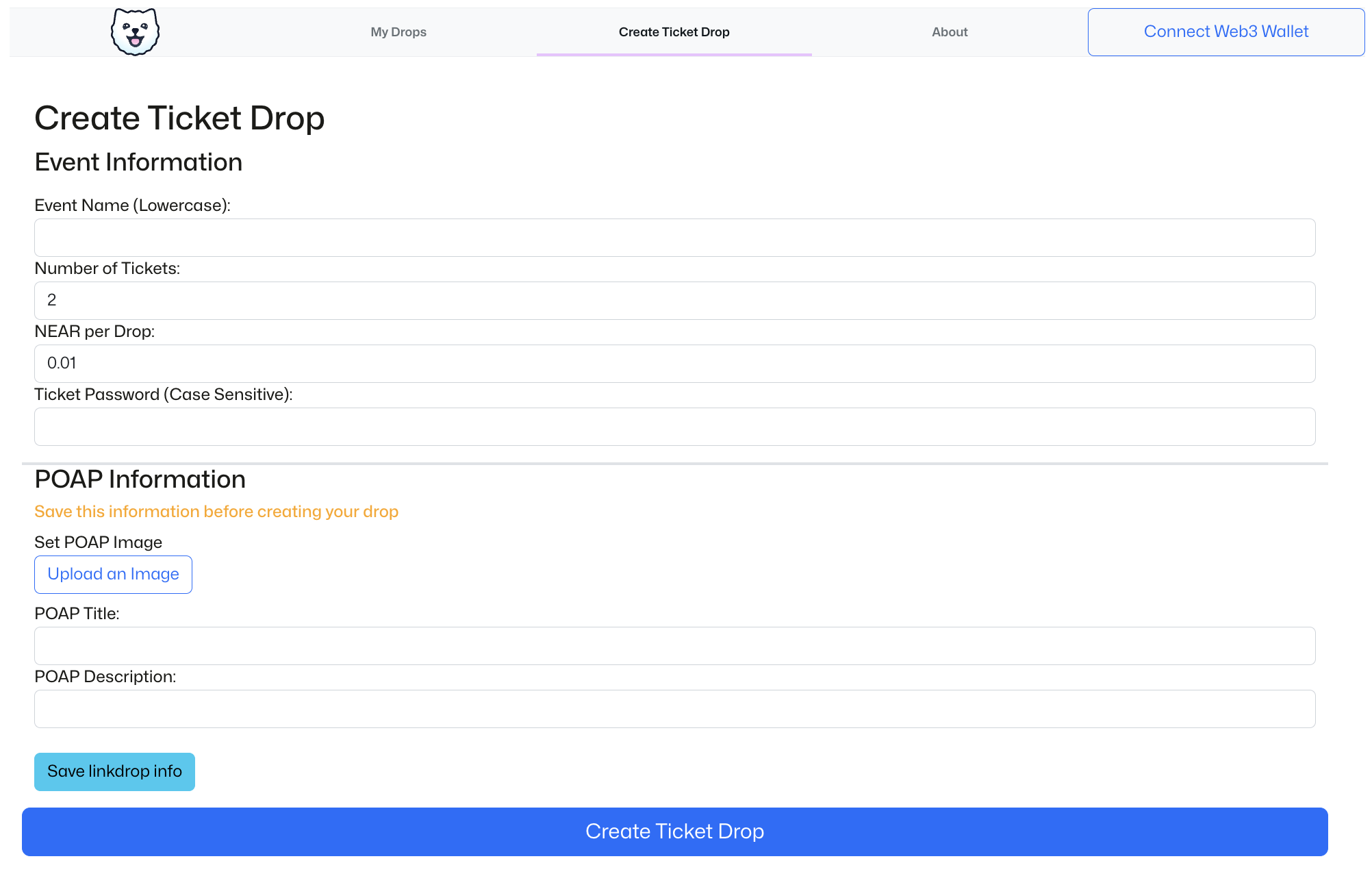
When using the tool, there are a few tips to keep in mind:
- Save your POAP information before creating the drop
- This is very important, if you do not, the drop will be created without the POAP 😢
- The name of the event will automatically be hyphenated and lowercased
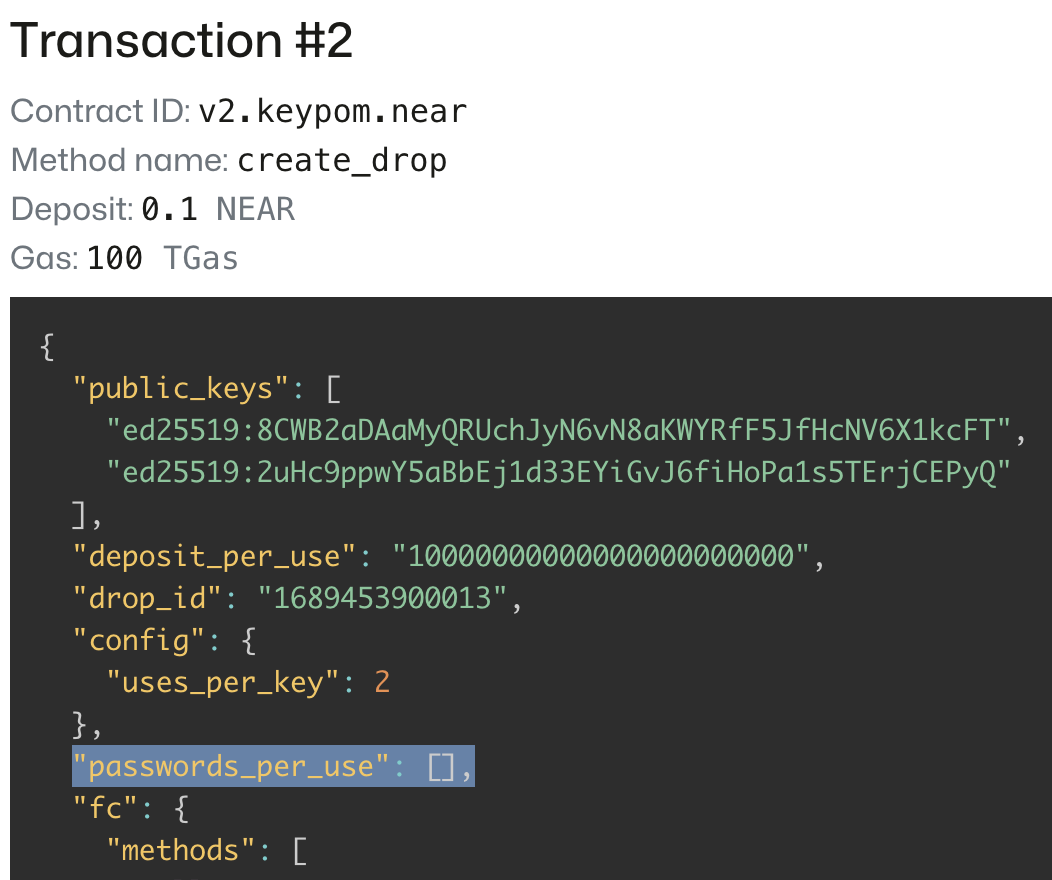
- When creating the drop, the password will not appear in the transaction information. This will populate after you press "Confirm"
Using the Scanner
To open the scanner on your own machine, you can clone the code from the Keypom Docs Examples repository and run the following command in the root folder keypom-docs-examples/:
cd advanced-tutorials/ticket-app-mainnet && yarn && yarn start
This should bring you to the following page at localhost:1234

From there, you can navigate to the following URL:
http://localhost:1234/v2.keypom.near/scanner
It will immediately prompt you for a password. This is the password you set in the creating tickets section. If you enter it incorrectly, you can refresh the page and re-enter the password. From there, you can begin presenting tickets and allowing people into your event!